Manage your team

Turn teamwork into results

Keep everything organized with solutions that improve your team communication and coordination
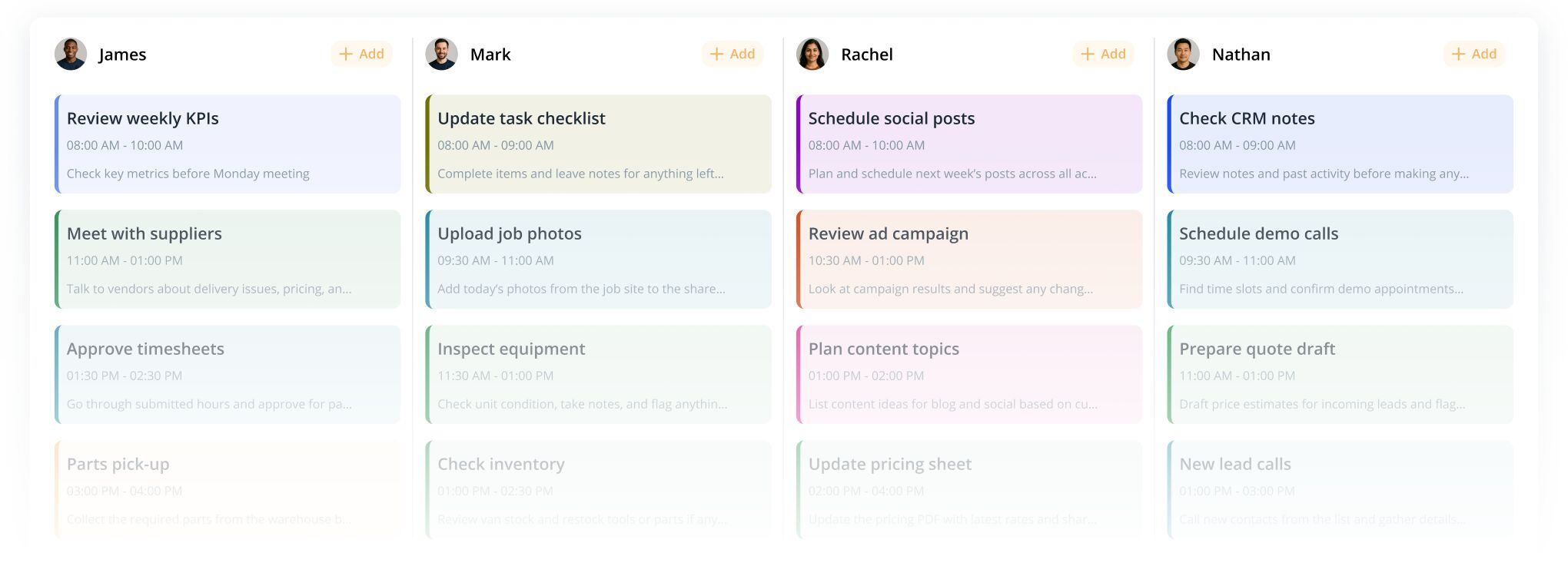
Team task board with four columns for James, Mark, Rachel, and Nathan, each showing scheduled tasks with times and brief notes.
team roles

Put the right people in the right place

Our role management system lets you assign specific responsibilities to your employees. Whether it's handling sales, managing accounting, or chatting with customers, you can assign permissions for these tasks to the appropriate team members.

This keeps your workflow organized and ensures everyone only has access to what they need. As your team grows, you can easily update roles without disrupting daily operations.
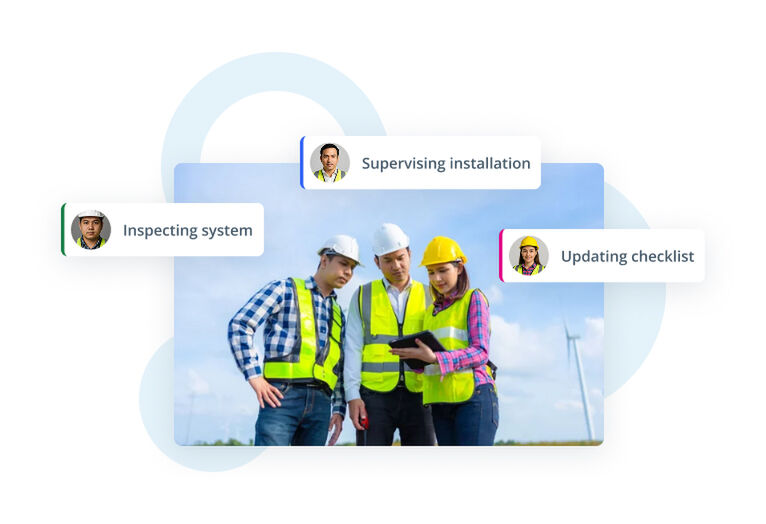
Team of construction workers in safety gear reviewing a tablet on a worksite, with labels showing tasks like inspecting system, supervising installation, and updating checklist.
Tasks

Take control of your tasks

Manage your team with greater speed, clarity, and control. Keep everything organized and help your team deliver better results every day with powerful, easy-to-use tools.

Task management

Assign tasks to team members and clients with just a few clicks. Your team gets all the details they need to work efficiently, while clients stay informed with automatic updates and notifications.

Task notes
Map-based task planning
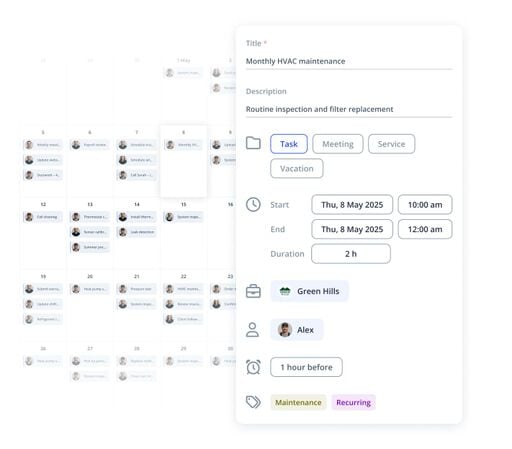
Calendar app interface with an event details panel for "Monthly HVAC maintenance" showing schedule, type, location, assignee, reminder, and tags.
Tasks

Take control of your tasks

Manage your team with greater speed, clarity, and control. Keep everything organized and help your team deliver better results every day with powerful, easy-to-use tools.
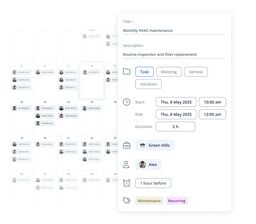
Task management

Assign tasks to team members and clients with just a few clicks. Your team gets all the details they need to work efficiently, while clients stay informed with automatic updates and notifications.

Calendar app interface with an event details panel for "Monthly HVAC maintenance" showing schedule, type, location, assignee, reminder, and tags.
Task notes

Create invoices, add notes with files, and communicate via chat for easy updates and verification. Everything related to the task stays in one place, so nothing gets lost and everyone stays aligned.

Calendar app interface with an event details panel for Monthly HVAC maintenance showing date, time, type, location, assignee, reminder, and tags.
Map-based task planning

Assign tasks and view team routes on a map for efficient navigation to customer locations, perfect for field operations. This helps reduce travel time, optimize routes, and get more done in a single day.

Calendar app interface with an event details panel for "Monthly HVAC maintenance" showing schedule, type, location, assignee, reminder, and tags.
Real time map

Track your team's progress

With the IKOL app, you can track your employees and contractors locations. The map shows real-time positions, client addresses, and provides quick navigation links. You don’t have to worry about privacy as your team can always limit location access when needed. You get the visibility you need, without compromising trust.
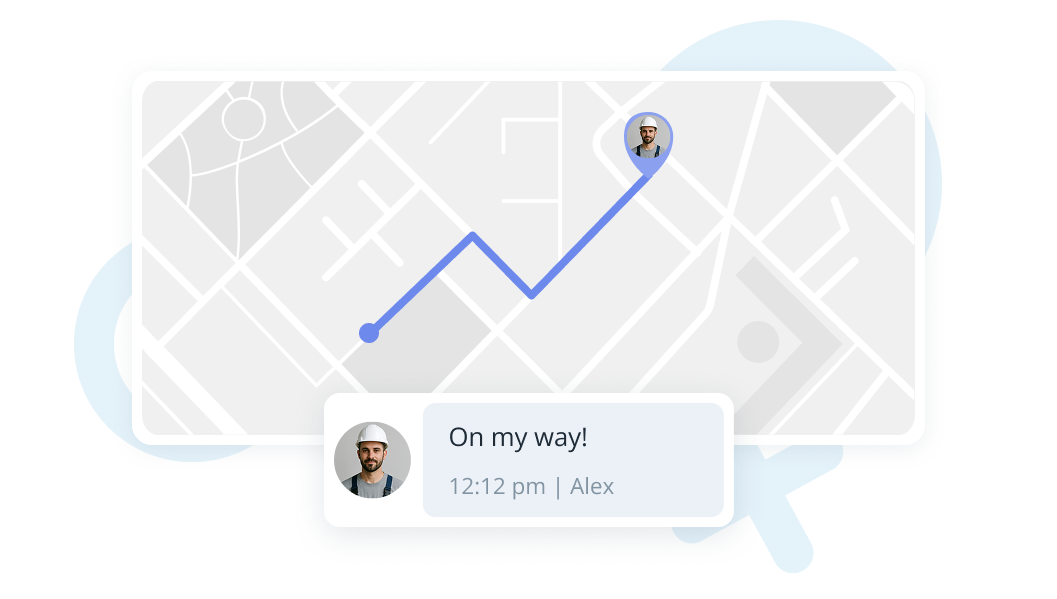
Map interface showing a route with a location pin and a chat bubble saying 'On my way!' from a worker avatar.
Team chat

Speed up communication

Save time with IKOL chat, allowing quick communication with your team, whether in the office or on the go. Share tasks, photos, files, and use templates for faster replies. The chat also makes responding to customer inquiries quick and easy.

All conversations are organized in one place, keeping everyone aligned, and improving your service and customer satisfaction.
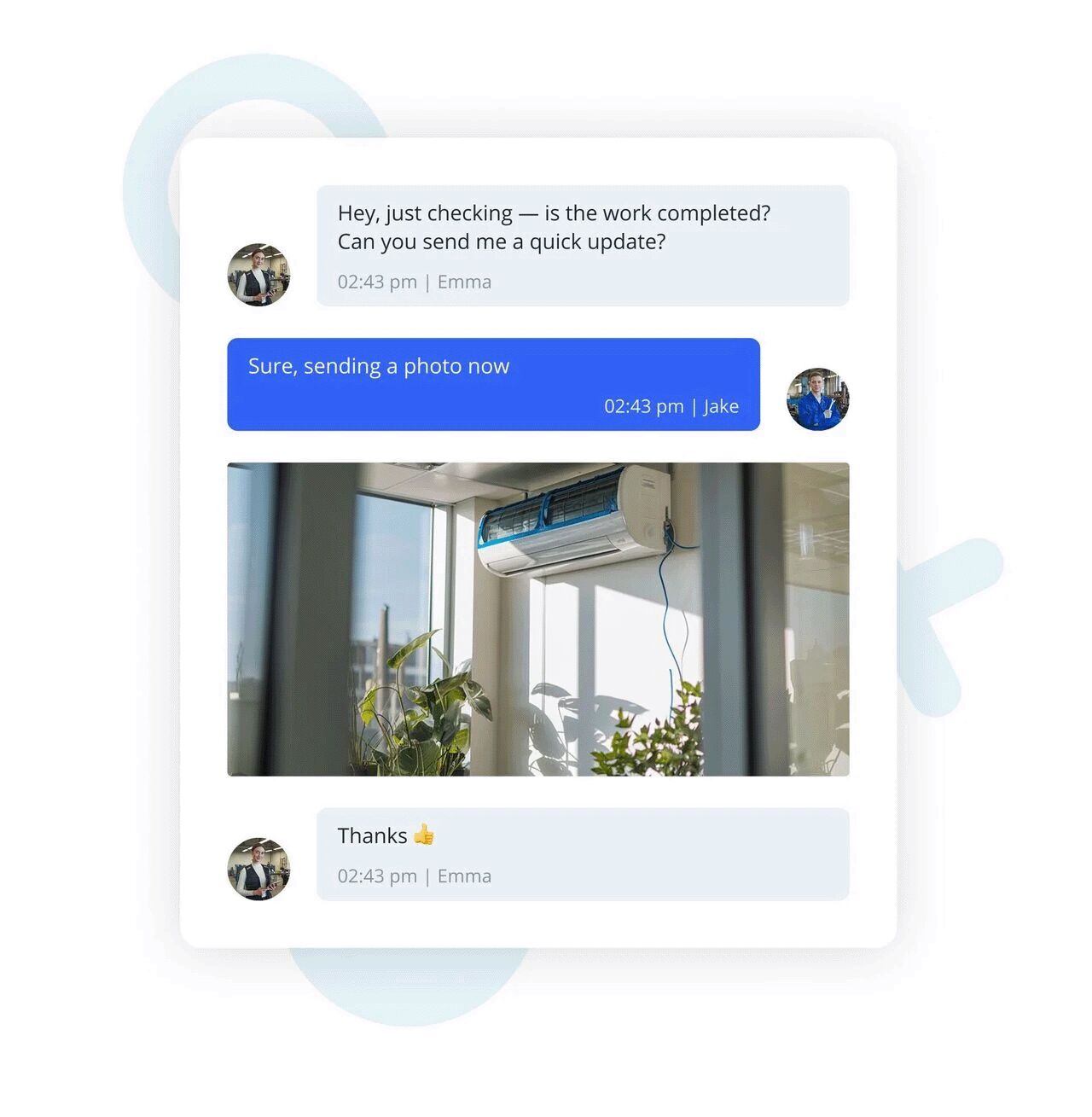
Messaging app mockup showing a brief chat between two people with a photo of a newly installed wall-mounted air conditioner in a sunlit room with plants.
Calendar

See what’s coming next

Manage tasks and track progress with a calendar that gives you a clear overview. Switch between views to stay on top of appointments, meetings, deadlines, and activities. Share your calendar with team members to keep everyone aligned and aware of upcoming priorities.

Color-coded events make it easy to spot deadlines and plan your day efficiently. Stay organized and never miss an important task.
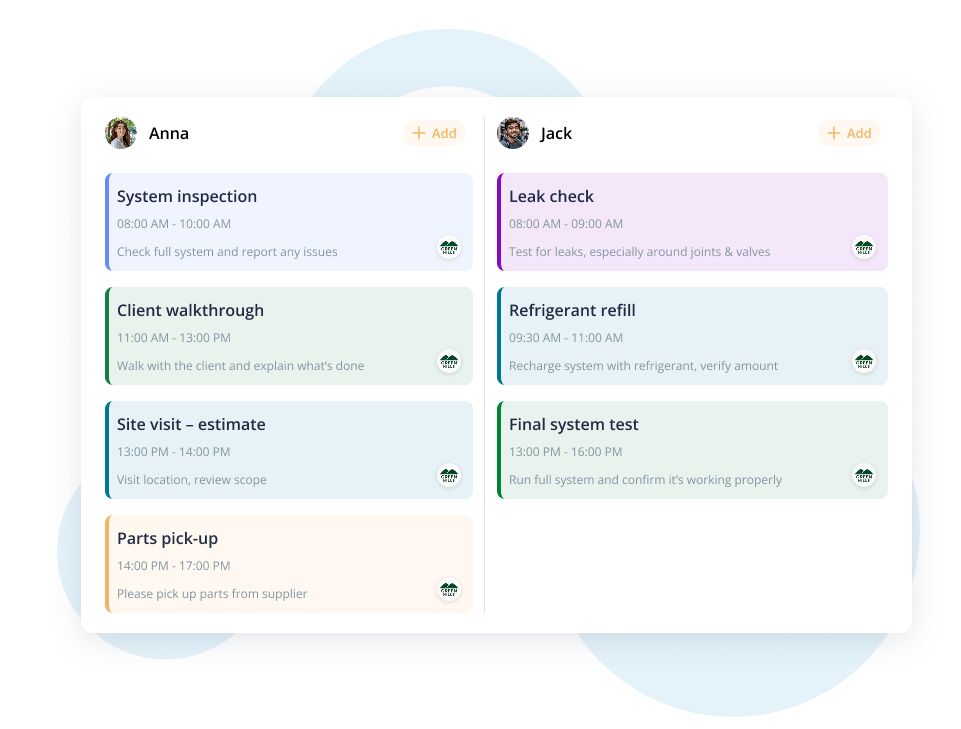
Two-column daily schedule UI for Anna and Jack showing color-coded tasks with times and notes.
Notifications

Don’t miss a thing

Stay organized and never miss an important update with notifications for reservations, tasks, payments, and messages. Customize alerts for your team to ensure timely reminders and smoother operations.

Clients also receive reminders before their service, reducing no-shows and improving overall satisfaction. Real-time alerts keep everyone informed, helping your business run smoothly and efficiently.
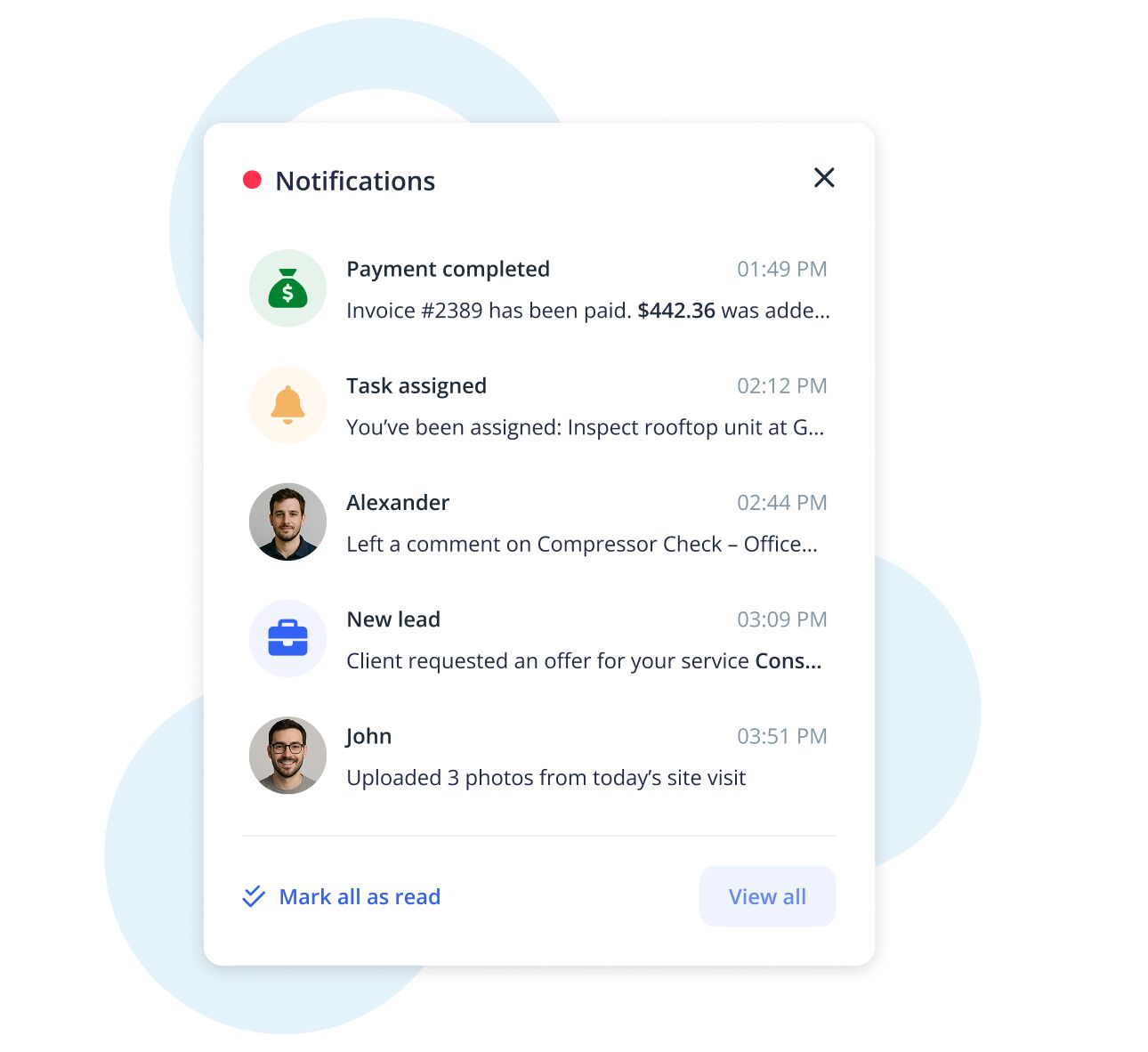
User interface panel showing a list of notifications with icons, timestamps, and brief messages in a clean, modern design.
faq

Got questions? We’ve got answers!

Can I use IKOL for both employees and subcontractors?

Yes! You can assign tasks to employees or external contractors, invite them via email, and manage them from one dashboard.

How does the real-time map work?
Is location tracking always on?
What types of notes can my team add to tasks?
Will my team and clients get reminders?
Large blue letters spelling FAQ on a light abstract background.
faq

Got questions? We’ve got answers!

Can I use IKOL for both employees and subcontractors?

Yes! You can assign tasks to employees or external contractors, invite them via email, and manage them from one dashboard.

Large blue letters spelling FAQ on a light abstract background.
How does the real-time map work?

You can view the live location of your team, clients, and scheduled tasks on a map, making route planning and task tracking much easier.

Large blue letters spelling FAQ on a light abstract background with soft shapes and minimal icons.
Is location tracking always on?

No. Team members can choose when to share or hide their location for privacy.

Minimalist illustration featuring the large text "FAQ" in bold blue letters with soft blue abstract shapes and icons in the background.
What types of notes can my team add to tasks?

They can include text, photos, invoice details, and files — everything needed to document the job.

Large blue letters spelling 'FAQ' on a light abstract background with soft shapes and minimal illustrations.
Will my team and clients get reminders?

Yes! Automated notifications can be sent to your team and customers via email or push, so no one misses a task or appointment.

Minimalist illustration featuring the large text 'FAQ' in bold blue letters on a soft light-blue abstract background with subtle shapes like leaves, crosses, circles, and small paper planes.
Get started now

Try remote team management now!

  • No credit card required