your website chat

Turn concerns into sales

Let our smart chat resolve all your customers issues by recommending relevant products, guiding users toward a sale, and providing instant support.
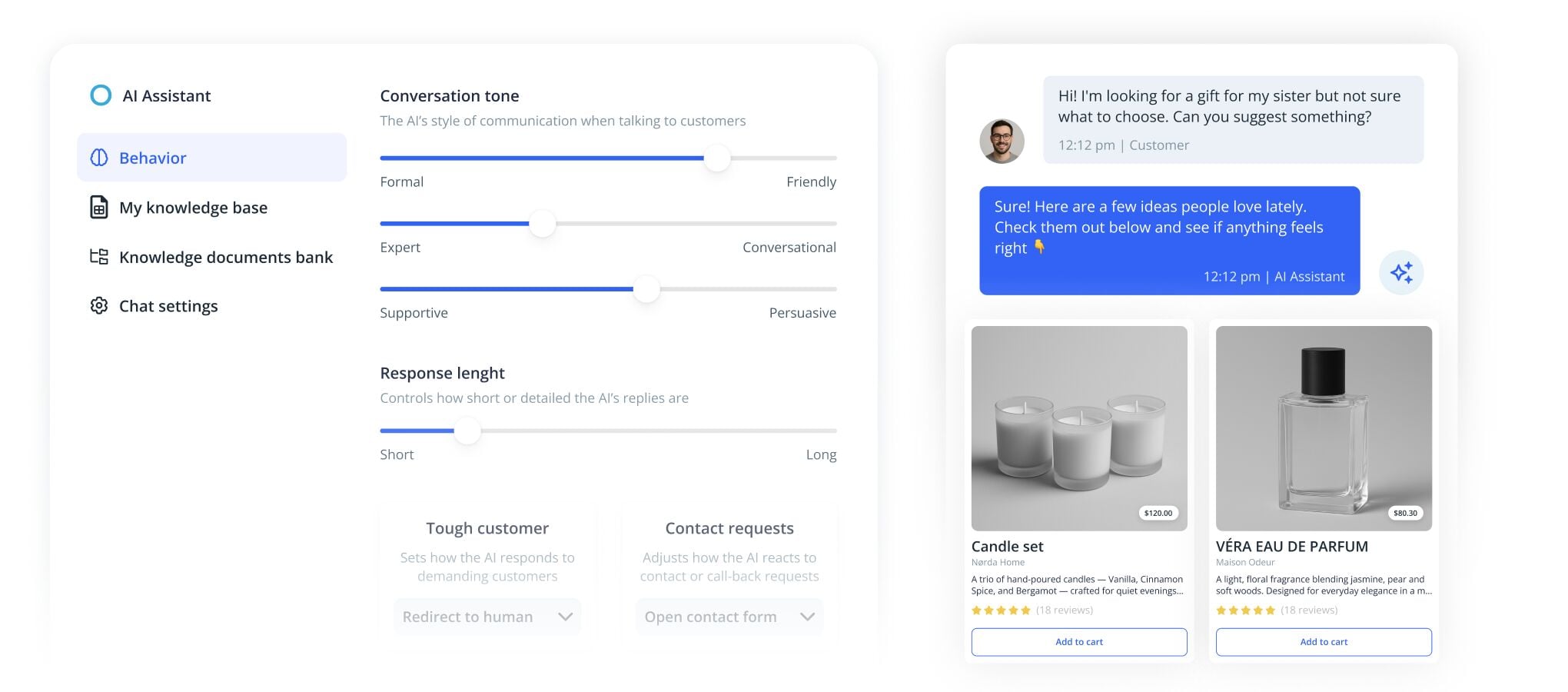
Dashboard showing AI assistant behavior settings alongside a customer chat preview and product recommendations.
Customer communication

Support your customers automatically

Instant support

Quick response to boost your customer satisfaction. Answer common questions instantly and reduce wait times for your customers. Free up your team to focus on higher-value work.

24/7 availability

Never miss a query, even outside business hours. Be available whenever customers reach out, day or night. Capture leads and requests even when your business is closed.

Personalized conversations

Make customers feel valued with responses that reflect your style. Keep your brand voice consistent across every interaction. Deliver helpful, natural replies that feel human.

CHAT ASSISTANT

Reclaim your time with new AI Assistant

People expect fast, accurate and engaging replies, which takes up valuable time. Let IKOL Chat handle these interactions! It is more than a tool and works like part of your team. It learns, adapts and responds with a personal touch.

Customers receive helpful and natural responses that reflect your business, even when you're not online. Just set the tone, and let the chat take it from there.

Smiling person leaning back at a desk while a chart titled "Tickets Resolved by AI" shows a sharp rise from January to March.
Customize your AI Chat

Make every chat fit your client

IKOL helps your business maintain its unique identity by customizing chat tones, teasers, and knowledge bases, ensuring every interaction aligns with your brand.

Customize the tone

Choose the appropriate tone for your chat conversation, from friendly and professional to more sales-oriented.

Equip AI with your knowledge
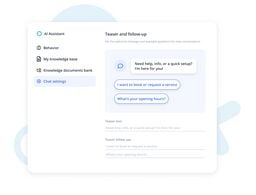
Choose teasers and follow-ups
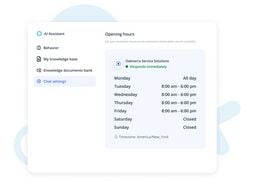
Set your availability
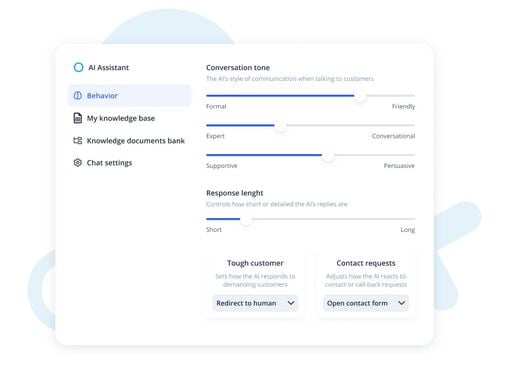
AI assistant behavior settings panel with sliders for tone and response length, and options for handling tough customers and contact requests.
Customize your AI Chat

Make every chat fit your client

IKOL helps your business maintain its unique identity by customizing chat tones, teasers, and knowledge bases, ensuring every interaction aligns with your brand.
Customize the tone

Choose the appropriate tone for your chat conversation, from friendly and professional to more sales-oriented.

AI assistant behavior settings panel with sliders for tone and response length, and options for handling tough customers and contact requests.
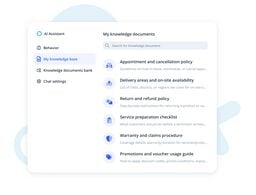
Equip AI with your knowledge

Choose from a variety of pre-prepared knowledge bases for different industries, or create your own with product insights, company stories, and FAQs. This allows your AI to provide not only answers but also valuable information, showcasing your brand’s expertise.

Dashboard screen showing an AI Assistant knowledge base with a list of policy and procedure documents.
Choose teasers and follow-ups

Customize the teaser your client sees when they launch your chat to align with the message you want to convey. You can also adjust follow-up questions to speed up communication and highlight the most frequently asked questions.

Chat settings screen showing teaser and follow-up configuration for an AI assistant conversation widget.
Set your availability

Set the hours for your chat’s availability, ensuring communication happens at your preferred times.

Interface screen showing AI Assistant chat settings with business opening hours schedule for Oaknerra Service Solutions.
Turn chats into sales

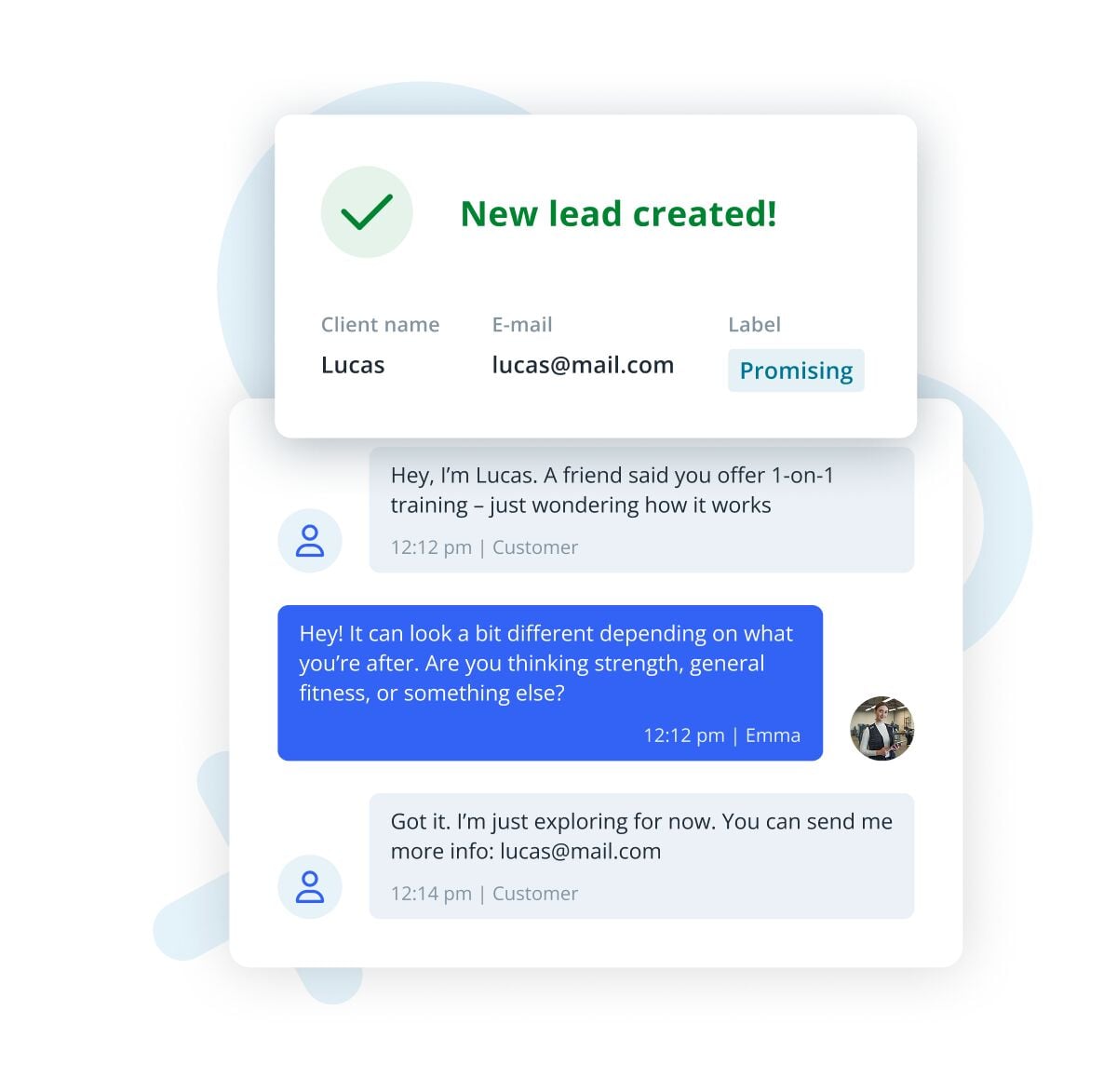
Convert chats into reservations and leads

Easily book services and access links directly through chat. Contact details like emails and phone numbers are automatically captured from conversations, with all leads saved straight into your management system. Let the chat collect and organize customer information for you, and your team can respond faster with everything they need in one system.

  • AI-enhanced lead extraction
  • Easy service booking
  • Comprehensive CRM integration
UI mockup showing a new lead created from a chat conversation, with client details and a promising label.
Mobile app

Keep in touch with mobile chat

Stay connected with customers on the go using our mobile app. Respond to messages, manage conversations, and capture leads wherever you are. It’s simple, fast, and feels just like the messaging apps you already use, with your conversations synced across devices automatically.

  • Keep in touch while on the move
  • User-friendly interface
  • No technical skill required
Mobile-style blue gradient screen with a notification bubble saying 'New chat!' next to a green bell icon.
Quick responses

Save time by using pre-written responses

Prepare responses for common questions in advance and send them with just one click. This saves you time without sacrificing quality, speeds up communication, and ensures you always provide fast, accurate information. Your customers get the answers they need, right when they need them.
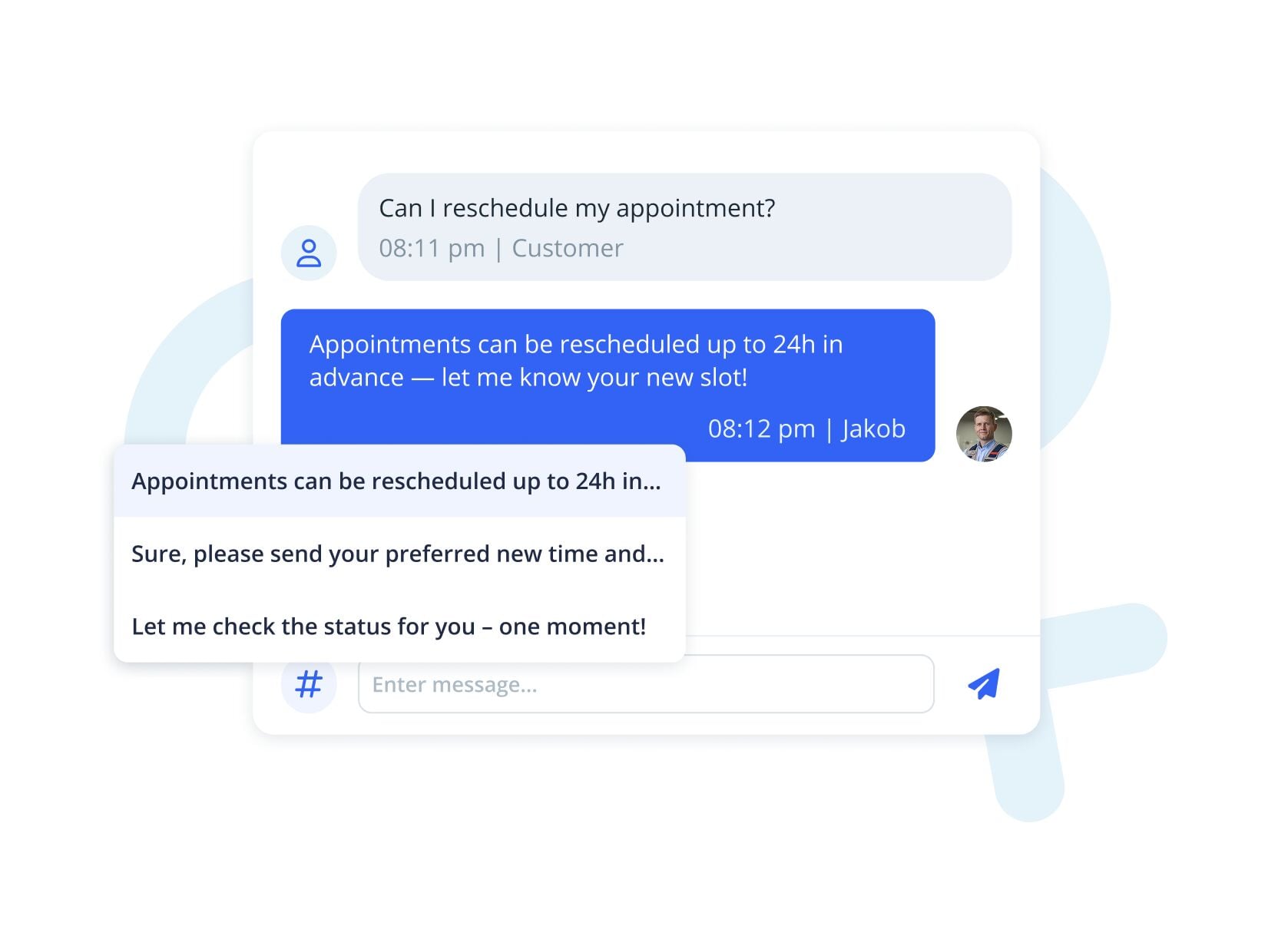
Illustration of a customer support chat showing quick-reply suggestions for rescheduling an appointment.
Coordinate with employees

Improve your team communication

Communicate with your team in real-time to share updates, collaborate, and report on service. Keep everyone aligned with shared conversations and task updates, so nothing falls through the cracks.

Quick access to information makes work easier, speeds up reporting, helps your team make better decisions, and lets you deliver better service to your customers.
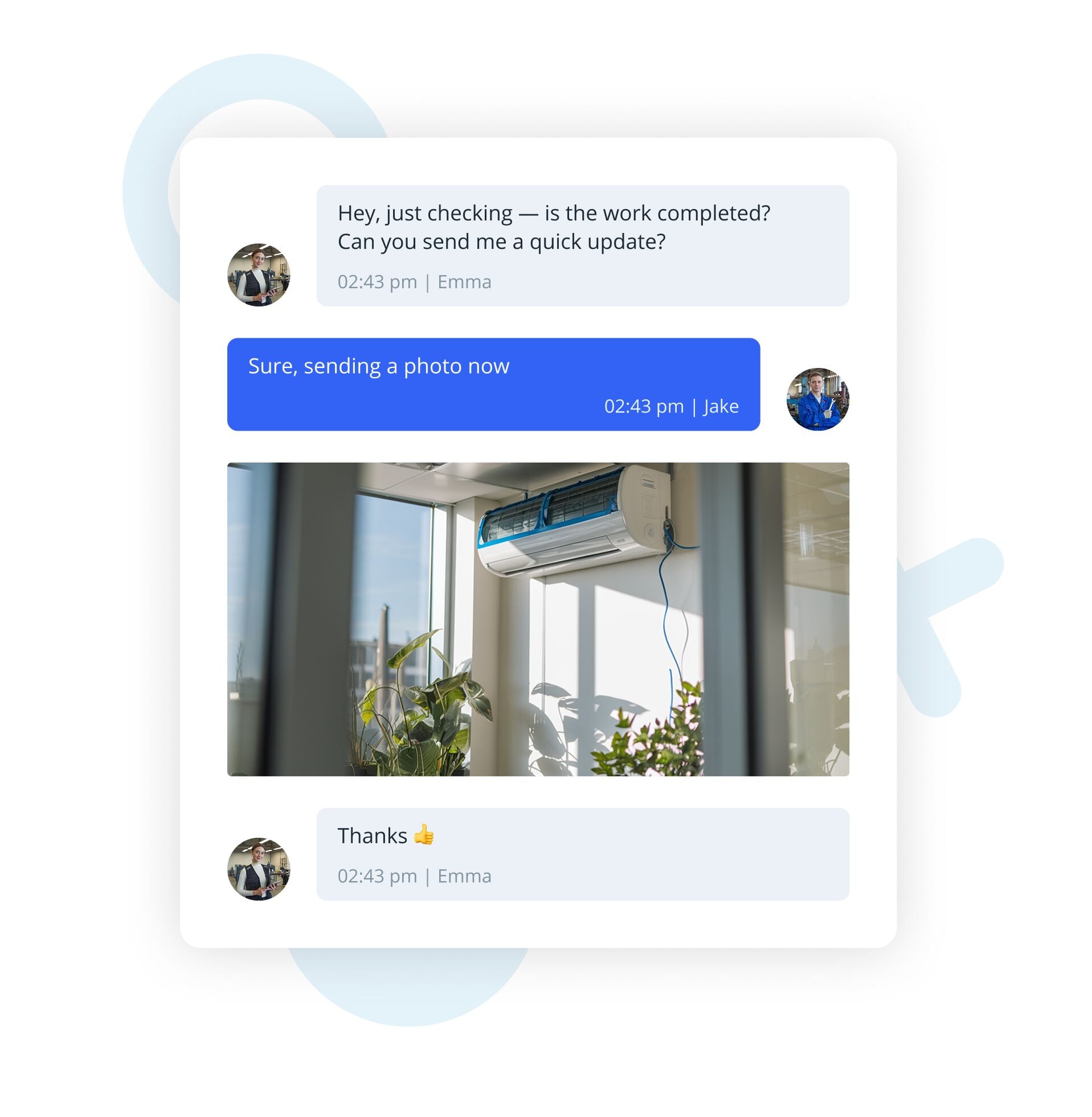
Messaging app interface showing a brief conversation about a work update, including a shared photo of an indoor air conditioner above potted plants near a window.
Other features

Discover all the tools you need

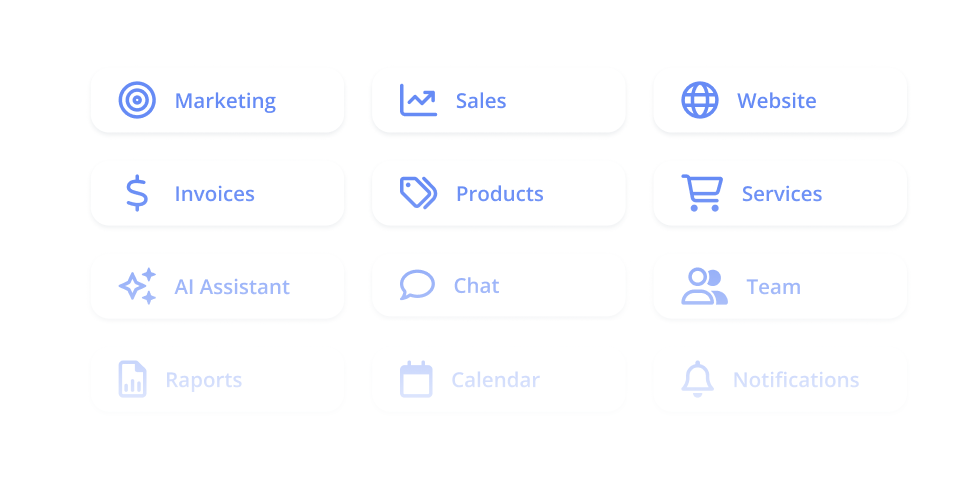
With IKOL, you get a personal business page with chat built-in, a custom domain, booking and many other tools that will to help you grow and succeed.

Dashboard menu with rounded white tiles showing blue icons and labels like Marketing, Sales, Website, Invoices, Products, Services, AI Assistant, Chat, Team, Reports, Calendar, Notifications.
faq

Got questions? We’ve got answers!

Can I save pre-written responses for my regular chat?

Yes, you can save pre-written responses to quickly reply to common questions, saving time and ensuring fast, accurate replies.

Is it possible to change or customize the chat greeting message?
Can I block rude visitors?
Can I use chat to communicate with my team?
How do I add chat to my IKOL website?
How do I add IKOL chat to my website if I have my own?
Large blue FAQ text with minimal abstract background graphics in light blue.
faq

Got questions? We’ve got answers!

Can I save pre-written responses for my regular chat?

Yes, you can save pre-written responses to quickly reply to common questions, saving time and ensuring fast, accurate replies.

Large blue FAQ text with minimal abstract background graphics in light blue.
Is it possible to change or customize the chat greeting message?

Yes, you can customize the greeting message in the chat settings. You can also add follow-up questions to improve communication with your clients.

Large blue letters reading 'FAQ' with light abstract shapes and paper planes on a pale background.
Can I block rude visitors?

Yes, you can block rude or irritating visitors to avoid wasting your time and ensure a positive experience for your team.

Large blue letters spelling FAQ with light abstract shapes in the background.
Can I use chat to communicate with my team?

Yes, you can chat with your team members, share updates, and report service execution in real-time, improving coordination and service delivery.

Illustration with the word FAQ in large blue letters on a light background with abstract shapes.
How do I add chat to my IKOL website?

If you have a website on IKOL, the chat feature is already included. Simply sign up, and your personal business page will have chat embedded.

Large blue letters reading 'FAQ' on a minimalist light blue abstract background.
How do I add IKOL chat to my website if I have my own?

If you're using WordPress, simply download the IKOL plugin and follow the instructions. If you're not on WordPress, just paste our provided script onto your website.

Minimalist illustration featuring large blue letters spelling FAQ with soft abstract shapes and paper planes in the background.
get started now

Try out online chat

  • No credit card required